
How to document your stock cards efficiently via voice input
Welcome to the next post in our series about beekeeping of the future! After we've learned the basics of our beekeeping app in previous parts, today we'll look at Best practices for using the voice assistant. With the right techniques, you not only save time, but also get accurate and complete stock cards — without typing.

Remember this motto: “If your voice memo is understood by someone without images, the voice assistant will understand it too”
This means: Speak clearly, structurally and completely. What a fellow beekeeper would understand over the phone, is also understood by our AI. Avoid ambiguous phrases such as “this one” or “this one” — instead, be specific about what you mean.
Our app was released as Offline-first solution developed. For you, that means:
For the best recording quality, you have several options:
1. Bluetooth headphones (recommended)
2. Smartphone next to the beehive
3. External microphone
When you open each race, say what you see:
advantage: Nothing is forgotten, everything is fresh in the mind.
After reviewing all the peoples, you take time for voice input:
advantage: More structured documentation, better overview.
For a clean separation Between peoples, it is essential to name each people explicitly:
example:
“People 12: Heavy breeding activity on 8 honeycombs, queen seen, enough food available. Next check in 10 days. "” People 13: People are weak, only 4 occupied honeycombs, little concealed brood available...”
This clear structure ensures that every piece of information is assigned to the right people.
The voice assistant understands natural language. You can, but you don't have to think in keywords:
❌ Not optimal: “Breed 8 honeycombs, enough food, queen seen”
✅ Better: “I see brood on 8 honeycombs, the food is sufficient and I have seen the queen”
Particularly practical for tasks:
The assistant recognizes automatic tasks and temporal references and Create corresponding todos directly in the app!
A particular strength of our app is Team function:
Transparency: Each action is logged with timestamp and user.
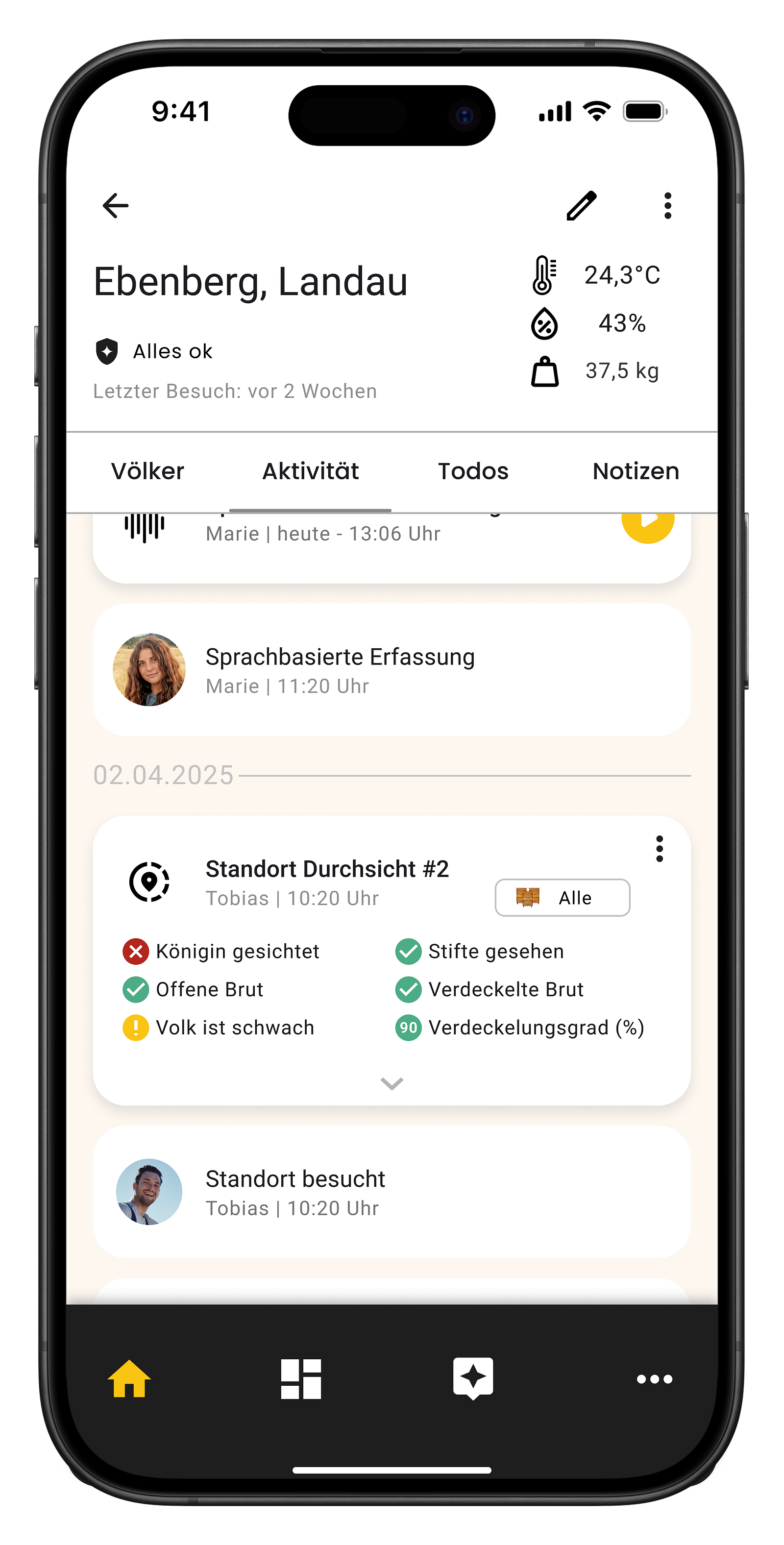
Don't be afraid of making mistakes! All results can be edited later:
For every automatically filled field, you can original quote view:

Our app supports 14 different input languages:
Supported languages include: German, English, French, Italian, Spanish, Dutch and many more.
With these best practices, you'll get the most out of the voice assistant. The combination of offline functionality, collaborative work and intelligent voice recognition makes stock card maintenance easier and more accurate than ever before.
Try out different workflows and see what works best for you. Thanks to the subsequent editing option and the quote function, you always have full control over your documentation.
Do you have any questions or your own tips for voice input? Feel free to share them in the comments!



@HIVESOUND 2025